Where to Buy New Facebook Accounts: A Detailed Guide to Choosing and Purchasing
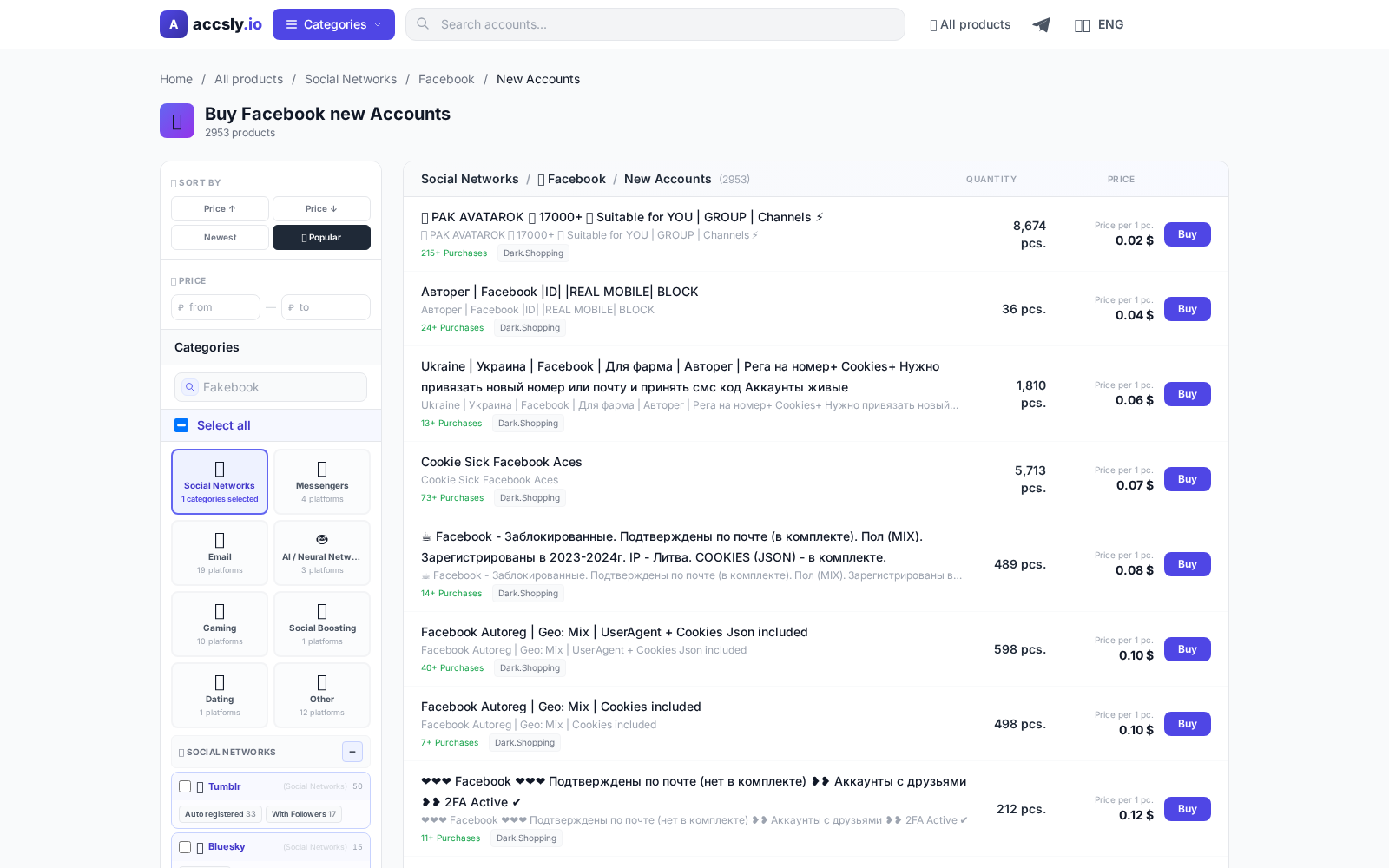
In short: A new Facebook account is essential for those growing a business, running ads, testing marketing ideas, or bypassing restrictions on an old profile. Buying a new account offers a quick start without lengthy manual registration or warming-up periods. However, to avoid bans or losing money, it’s crucial to choose a reliable seller and understand how to complete the transaction properly.
Why You Need a New Facebook Account
Fresh Facebook accounts are in demand among targeted advertising specialists, affiliate marketers, SMM managers, and online store owners. Most often, they are used for:
- Launching ad campaigns in Facebook Ads without risking your main profile.
- Managing multiple projects in parallel (one account per task).
- Bypassing restrictions and limits that Facebook imposes on older profiles.
- Testing new creatives and promotion strategies.
- Safely working with gray or niche products, where the risk of blocking is especially high.
Common Issues with Facebook Accounts
Buying and using new accounts comes with its own risks. Here are common problems buyers face:
- Account gets blocked immediately after login: Facebook may detect unusual activity and freeze the account.
- Incomplete login details or missing backup email/phone.
- The account was previously used and is shadow-banned.
- Unreliable seller: not providing data or selling the same account to multiple people.
- Mismatch with description: promised a clean account, but received a profile with history and suspicious activity.
To avoid wasting money, it’s important to research all the details in advance and choose a trusted supplier.
Account Selection Criteria
A good account is more than just a fresh registration. Pay attention to these factors:
- Registration country: depends on your goals, ad targets, and Facebook’s restrictions.
- Verified email/phone: makes account recovery easier.
- Warming-up: if the account has some activity, the risk of being blocked is lower.
- Complete data set: login, password, backup email, answers to security questions.
- Honest description: the more detailed the specs, the more trustworthy the seller.
Where to Buy Safely
Safe purchase of new Facebook accounts is only possible where the process is transparent and sellers are moderated. The ACCSLY platform offers a wide selection of accounts with detailed descriptions. All transactions go through a secure data transfer service. Additional protection includes real buyer reviews and support ready to help in case of disputes.
How to Buy: Step-by-Step Guide
- Browse the account catalog and choose the best option based on your criteria.
- Carefully read the lot description, paying attention to data transfer conditions and warranty.
- Click on the account you’re interested in and follow the purchase instructions on the website.
- After payment, save the provided details and be sure to follow the seller’s instructions.
- A detailed buying guide is available here.
Checklist Before Payment
- Check the registration country and data validity.
- Confirm if the account is warmed-up and if email and phone are verified.
- Read reviews about the seller and their lot history.
- Review the platform’s return policy and transaction guarantees.
- Make sure all deal terms are clear before paying.
Checklist After Receiving the Account
- Immediately change the password and, if possible, enable two-factor authentication.
- Check access to all stated data (email, phone).
- Log in from a device and IP similar to those mentioned in the description.
- Don’t make drastic changes or launch ads in the first few hours.
- Store all access data in a secure place.
Common Beginner Mistakes and How to Avoid Them
- Buying the cheapest account without paying attention to lot details.
- Logging in from a suspicious IP or device: this can trigger a block.
- Ignoring safety checklists and seller recommendations.
- Making rapid changes to the profile or launching ads immediately after purchase.
- Storing account data openly or on unreliable resources.
It’s better to spend a couple of minutes checking than to face a block and lose your money.
How to Buy
Start by choosing the right option for your needs and budget, then carefully check the terms, delivery format, and restrictions before payment.
To avoid mistakes, follow this sequence:
- compare options in the relevant category;
- double-check the description and terms;
- place your order through a secure link.
After purchase, save your confirmation and follow the seller’s instructions: this helps resolve access issues faster and avoid data loss.
See the buying guide