Where to Buy New Minecraft Accounts: A Guide to Safe Purchasing
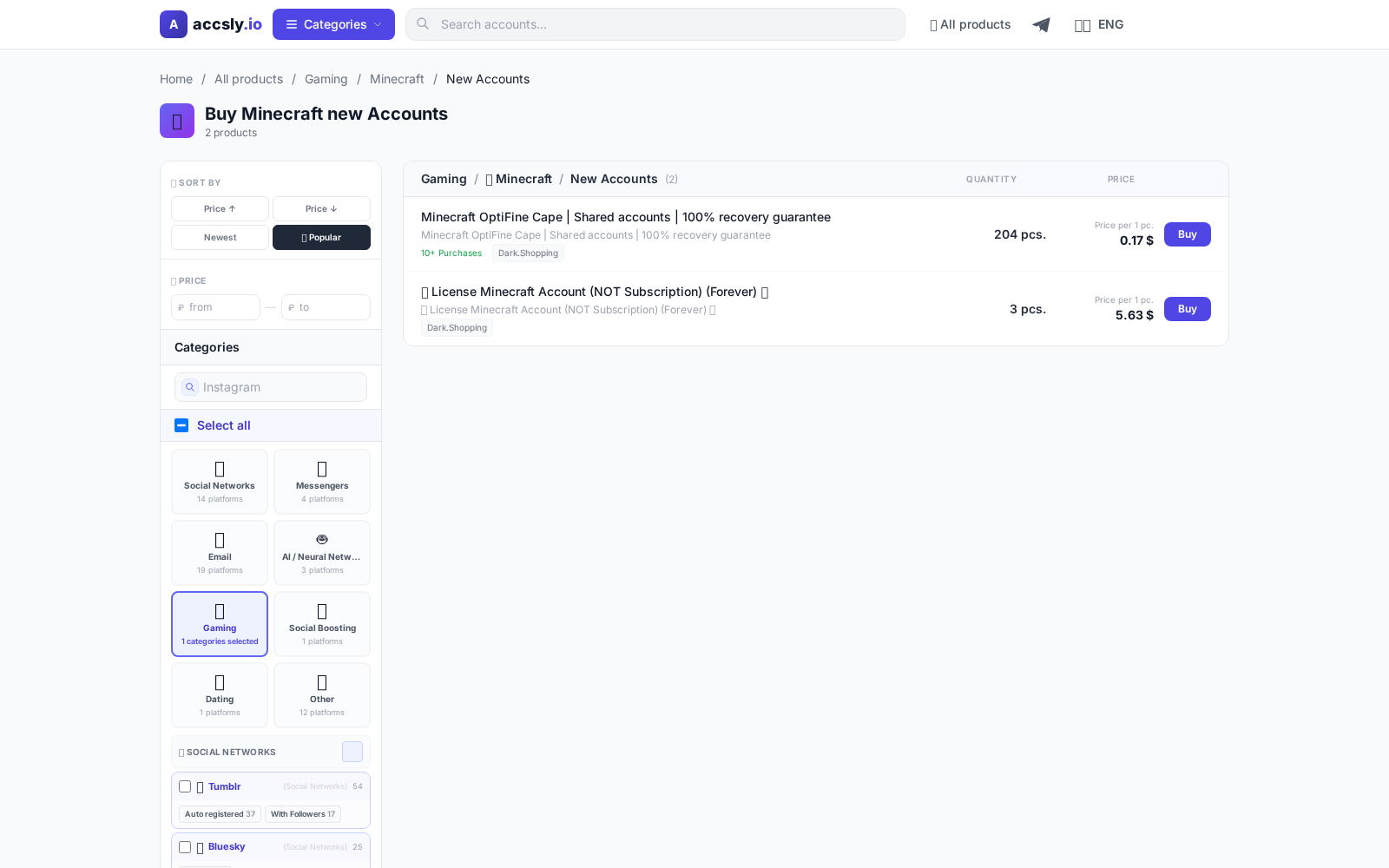
In short: Buying a new Minecraft account is an easy way to start playing without restrictions, get a license, or change your nickname. But it's crucial to choose the right seller and understand the terms of the deal. This guide provides detailed advice for anyone looking to purchase an account safely and without unpleasant surprises.
Why You Might Need a New Minecraft Account
A new Minecraft account is useful if you want to start fresh, gift access to a friend, change your region, or avoid issues with an old profile. New accounts are often chosen for multiplayer, entering competitions, or changing skins and nicknames. It's also a way to get a license cheaper than in the official store and start playing on popular servers right away.
Common Account Issues
The most frequent problems include non-working logins, no access to email, restrictions on changing account details, and bans. Sometimes accounts are sold with expired licenses or have been used for cheating, which can lead to bans on servers. Buying unverified listings can result in scams or lost money. Always read the product description carefully and clarify details with the seller.
Criteria for Choosing a Minecraft Account
Before buying, pay attention to:
- Account type: Mojang, Microsoft, or Bedrock license. This affects server access and the ability to change account details.
- Ability to change email and password: The more flexibility, the safer the purchase.
- Seller guarantees: Look for reviews, ratings, and refund policies.
- Account history: New accounts carry less risk. If used, check if it's banned on popular servers.
- Complete listing description: Detailed instructions and a list of features are a plus.
Where to Buy Safely
The best way to buy a new Minecraft account is through a trusted marketplace where every listing is moderated and sellers are responsible for product quality. On the ACCSLY catalog you'll find a wide selection of accounts: from basic to premium, with filters for type, price, and data change options. Transactions are processed through a secure system, and support is available for dispute resolution.
How to Buy: Step-by-Step Guide
- Select a suitable account in the ACCSLY catalog.
- Review the listing description, data change options, and guarantees.
- Follow the secure link to the purchase page.
- Save your login and password, and follow the seller's instructions for activation and changing account details.
A detailed guide is available on the How to Buy page at ACCSLY.
Checklist Before Payment
- Check the account type and ability to change details.
- Make sure there are guarantees and support.
- Compare prices — suspiciously cheap listings can be risky.
- Read seller reviews.
- Clarify deal details in chat if anything is unclear.
What to Do After Receiving Your Account
- Immediately change your password and, if possible, your email.
- Check access to the launcher and servers.
- Save all account details and your correspondence with the seller.
- Leave a review about your purchase — it helps other users.
Common Beginner Mistakes and How to Avoid Them
- Buying from suspicious sites — often leads to losing money.
- Ignoring seller reviews and ratings.
- Paying directly instead of through the platform — no guarantees.
- Not changing password and email promptly after purchase.
- Rushing into a purchase without reading the listing description.
By following this guide, you’ll minimize risks and enjoy your new account to the fullest.
How to Buy
Start by choosing the right option for your needs and budget, then carefully check the terms, delivery format, and any restrictions before paying.
To avoid mistakes, follow this sequence:
- compare options in the relevant category;
- double-check the description and terms;
- place your order through a secure link.
After purchase, save your confirmation and follow the seller’s instructions: this helps resolve access issues quickly and prevents data loss.
See the buying guide