Where to Buy Yandex Advertising Accounts: Safe Choices and Step-by-Step Guide
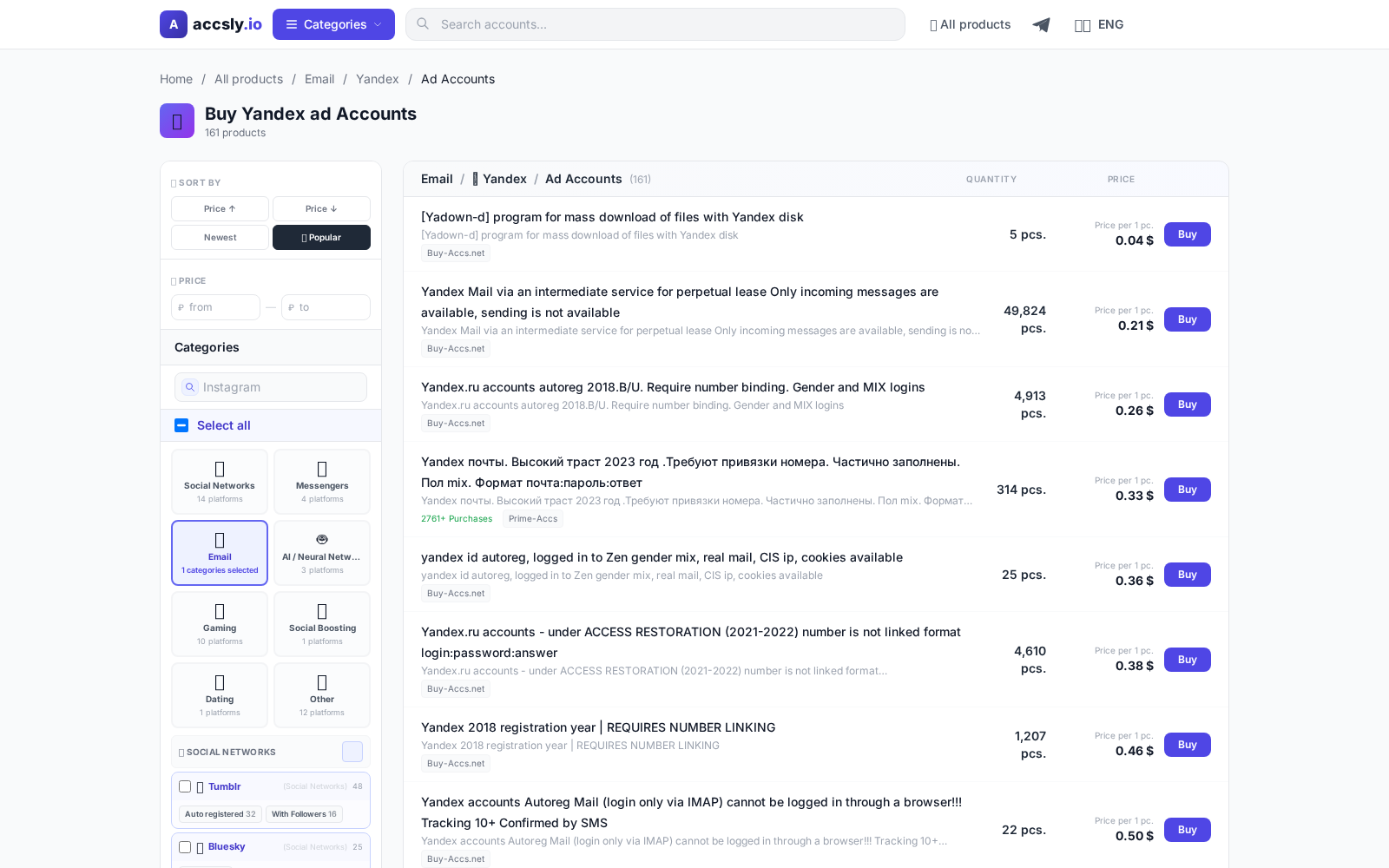
In short: Yandex Advertising Accounts let you launch and manage ad campaigns, control your budget, and access analytics. These accounts are essential for business promotion, testing new niches, or scaling advertising efforts. However, buying a third-party account isn’t a routine transaction: it’s important to choose wisely and avoid losing money. In this article, we’ll cover where to find verified accounts, how to select them, and what to pay special attention to before making a payment.
Why You Need a Yandex Advertising Account
Buying an account is relevant for those who:
- Run ads in new regions or niches that require a separate account.
- Bypass budget or ad quantity limits.
- Experiment with different promotion strategies.
- Work at an agency and manage multiple clients.
Owning an account allows you to launch campaigns faster, test ideas, and skip lengthy registration and verification processes.
What to Know: Common Issues and Mistakes
Before purchasing, consider these important points:
- Account bans. Some sellers offer accounts with a “history” that may be blocked due to previous violations. Always check the listing’s reputation and status.
- Payment restrictions. Accounts may have limits if they’ve been used for specific purposes before.
- Ownership transfer. Transferring an account between users can raise red flags with Yandex. Make sure the transfer follows the rules.
- No guarantees. Buying directly from individuals outside of platforms is risky: you may not be able to get your money back or receive support.
Beginners often make mistakes by choosing suspiciously cheap offers or skipping the deal’s terms.
How to Choose a Listing
When selecting an account, pay attention to:
- Account age and history. Older accounts are less likely to be suddenly blocked.
- Verification level. Verified accounts are more reliable for larger budgets.
- Usage type. Was the account previously active or is it new?
- Seller guarantees. Is support available if you have questions?
- Seller and platform reviews. Higher ratings mean a safer deal.
Where to Buy Safely
The safest way is to buy through specialized platforms with moderation and support. On ACCSLY you’ll find up-to-date Yandex Advertising Account offers that are verified and come with transaction guarantees. This approach minimizes risks and saves you time.
How to Buy: Step-by-Step Instructions
- Select a suitable listing in the ACCSLY catalog.
- Carefully review the description, transfer terms, and seller reviews.
- Proceed via a secure link to complete the transaction and follow the on-site instructions. If you have questions, use support.
- Save all listing information and, after payment, wait for the seller’s instructions on accessing the account. A detailed guide is available on this page.
Checklist Before Payment
- Ensure you’ve chosen the right account type (region, history, limits).
- Review the data transfer and support terms.
- Confirm the platform guarantees transaction safety.
- Compare several listings and don’t pick the cheapest without checking.
Checklist After Receiving the Account
- Change passwords and update contact details if possible.
- Check functionality: access to settings, balance top-up.
- Make sure there’s no suspicious activity in the account history.
- Contact the seller if any issues arise.
Common Beginner Mistakes and How to Avoid Them
- Buying outside secure platforms — risk of losing money with no refund.
- Ignoring the listing description and transfer terms — you may not get what you expect.
- Paying too quickly — take your time and compare at least 2–3 offers.
- Not checking for bans and restrictions — read reviews and clarify details with the seller.
By following these recommendations, you can minimize risks and successfully launch ads on Yandex. ACCSLY offers tools for safe purchases and support at every step. Don’t skip instructions and pay close attention to deal details.
How to Buy
Start by choosing the right option for your needs and budget, then carefully check the terms, delivery format, and restrictions before paying.
To avoid mistakes, follow this sequence:
- compare options in the relevant category;
- double-check the description and terms;
- place your order via a secure link.
After purchase, save your confirmation and follow the seller’s instructions: this helps resolve access issues quickly and prevents data loss.
See the purchase instructions